


Wireless Long Range 8*B2 Bullet Camera Kit
Free Cloud Storage | Advanced Edge AI | Cloud AI | 4K Resolution | Dual Connection
Wireless Long Range 8*B2 Bullet Camera Kit is backordered and will ship as soon as it is back in stock.
2 Year Warranty
2 Year Warranty
Ulticam provides this 2-Year Limited Warranty to the original purchaser of an eligible Ulticam product . This warranty covers defects in materials and workmanship under normal use for a period of 2 years from the original date of purchase.
30-Day Return Guarantee
30-Day Return Guarantee
All products purchased directly fromUlticam’s official websitecome with a30-day return policy. If you are not satisfied with our product, you may return it within30 days of receiptfor a refund. If you purchased the Product from anauthorized reseller, you must request a refund directly from the reseller.
The Ulticam WiFi-Kit Bundle delivers a comprehensive security solution straight out of the box. This integrated system features a 16-channel network video recorder paired with 16 bullet cameras or dome cameras, all designed to work seamlessly together via WiFi connectivity.
-
Max. Resolution
-
HDR
-
IR Night Vision Distance
-
Focal Length
-
Video Compression
-
Audio Capability
-
Behavior Analytics
-
Classification Detection
-
ConnectivityWi-Fi Halow (Sub-G)
-
Storage
-
Management
-
Power Supply
-
Indoor Or Outdoor Use
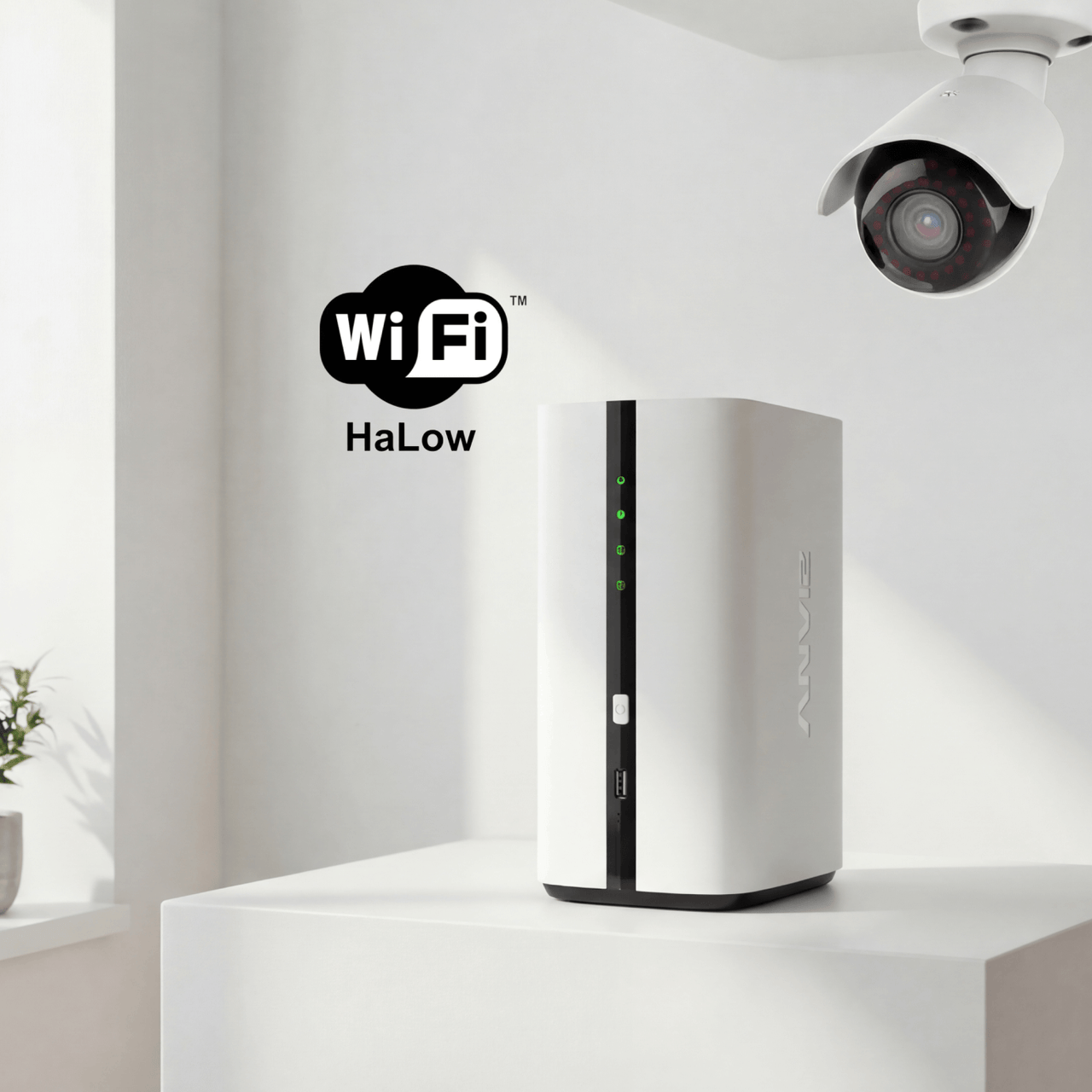
Complete Surveillance System at a Glance
The Ulticam Bullet WiFi-Kit Bundle delivers a comprehensive security solution straight out of the box. This integrated system features an 8-channel network video recorder paired with eight weatherproof outdoor bullet cameras, all designed to work seamlessly together via WiFi connectivity.

Plug and Play

Full Envionmental

Covering Widely Range

Secure Local Storage

Physical Edge AI

Easy to Install

Always-On Video.
Never Miss a Moment.
Traditional cameras wake up when something happens. Ulticam AOV cameras are already watching.

AOV VS PIR: Two Very Different Approaches
| Always-On Video (AOV) | Traditional PIR-Based Cameras | |
|---|---|---|
| How it works: |
|
|
| What you get: |
|
|

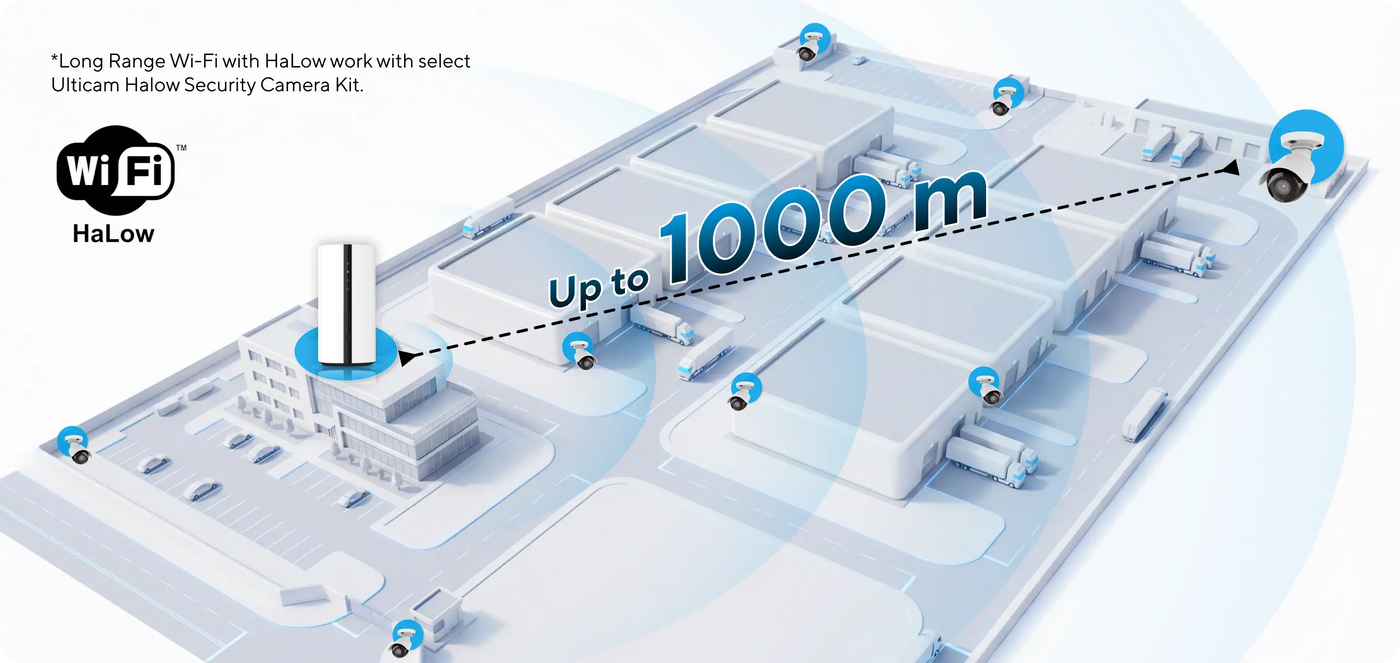
Long Range Wi-Fi with HaLow Support Whole- business Workplace Coverage
Always-On Video.
Never Miss a Moment.
Traditional cameras wake up when something happens. Ulticam AOV cameras are already watching.
AOV VS PIR: Two Very Different Approaches
| Always-On Video (AOV) | Traditional PIR-Based Cameras | |
|---|---|---|
| How it works: |
|
|
| What you get: |
|
|

Control Everything From Your Phone
Ulticam APP transforms your mobile device into a powerful security hub. Monitor multiple locations effortlessly, receive intelligent alerts tailored to your needs, and respond instantly to events—whether you're at home or halfway across the world. Our intuitive interface ensures that professional-grade surveillance is accessible to everyone, from first-time users to experienced property managers.
Advanced 24/7 Monitoring Capabilities
The Ulticam WIFI Bundle includes a Mini NVR and four dome cameras, ensuring security with WIFI. This system simplifies wiring and offers local recording and mobile management.
Always-On Video.
Never Miss a Moment.
Traditional cameras wake up when something happens. Ulticam AOV cameras are already watching.
AOV VS PIR: Two Very Different Approaches
| Always-On Video (AOV) | Traditional PIR-Based Cameras | |
|---|---|---|
| How it works: |
|
|
| What you get: |
|
|
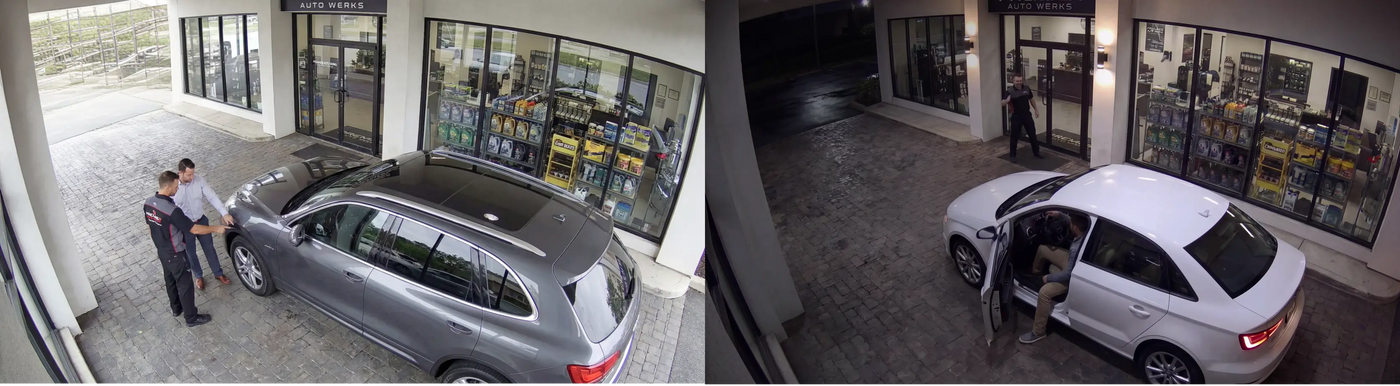
Always-On Video.
Never Miss a Moment.
Traditional cameras wake up when something happens. Ulticam AOV cameras are already watching.
AOV VS PIR: Two Very Different Approaches
| Always-On Video (AOV) | Traditional PIR-Based Cameras | |
|---|---|---|
| How it works: |
|
|
| What you get: |
|
|
Rich Intelligent AI Features
Ulticam features intelligent AI in its SMB solution, identifying people, vehicles, and objects. It includes behavior analysis for area defense and real-time alerts for unauthorized access.

Always-On Video.
Never Miss a Moment.
Traditional cameras wake up when something happens. Ulticam AOV cameras are already watching.
AOV VS PIR: Two Very Different Approaches
| Always-On Video (AOV) | Traditional PIR-Based Cameras | |
|---|---|---|
| How it works: |
|
|
| What you get: |
|
|


Free Cloud Storage
Tailored for Your Environment
-

Office and Warehouse
Monitor entry points, car parks, loading bays, and sensitive areas. Track staff movement, secure inventory, and maintain comprehensive records of facility activity.
-

Educational Facilities
Safeguard students and staff with coverage of playgrounds, entrances, corridors, and car parks. Enhance campus security whilst respecting privacy requirements.
-

Healthcare Settings
Secure patient areas, medication storage, car parks, and building perimeters. Maintain safety standards whilst ensuring patient and staff protection around the clock.


Ulticam APP, Your Virtual Guardian
The intuitive Ulticam APP connects you to home securely. Control everything from your phone, anywhere. The interface simplifies complex functions, ensuring peace of mind. Download now for smart security!
-

Connect All Cameras
Manage multiple devices, one app controls everything
-

Real-time View
Watch high-definition live video anytime, anywhere
-

Review History
Easily find and play cloud-stored videos


Which camera is right for your space?
| Facet | |||
|---|---|---|---|
| Price | |||
| Price |
$799.99
Unit price
/
Unavailable
|
$249.99
Unit price
/
Unavailable
|
$349.99
Unit price
/
Unavailable
|
| Resolution | |||
| Resolution | |||
| HDR | |||
| HDR | |||
| IR Night Vision Distance | |||
| IR Night Vision Distance | |||
| Focal Length | |||
| Focal Length | |||
| Video Compression | |||
| Video Compression | |||
| Audio | |||
| Audio | |||
| Behavior Analytics | |||
| Behavior Analytics | |||
| Classification Detection | |||
| Classification Detection | |||
| Connectivity | |||
| Connectivity | Wi-Fi Halow (Sub-G)
| Wi-Fi Halow (Sub-G)
| WiFi-2.4G
|
| Storage | |||
| Storage | |||
| Management | |||
| Management | |||
| Power Supply | |||
| Power Supply | |||
| Installation Area | |||
| Installation Area | - | - | - |


Frequently Asked Questions
What network connection methods does Ulticam IQ support?
What network connection methods does Ulticam IQ support?
Ulticam IQ supports 2.4GHz Wi-Fi wireless connection, as well as LAN wired connection and PoE (Power over Ethernet).
What is the resolution of the camera?
What is the resolution of the camera?
Ulticam IQ is available in two models: one with a maximum resolution of 2K (2560×1440) and another with 4K (3840×2160), both providing clear and detailed video quality.
Does it support local storage?
Does it support local storage?
Yes, Ulticam IQ is equipped with an SD card slot that supports SD cards up to 128GB for local video storage.
Does it offer cloud storage services?
Does it offer cloud storage services?
Yes, Ulticam IQ provides free cloud storage with a 7-day loop recording feature.
How do I install Ulticam IQ?
How do I install Ulticam IQ?
You can install it by following these steps:
- Mount the camera in the desired location.
- Power the camera using the DC 12V adapter or via PoE connection.
- Connect the camera to the network via Wi-Fi or LAN.
- Download and open the Xthing Home APP, then follow the prompts to complete the camera setup.
How do I enable PoE functionality?
How do I enable PoE functionality?
Use a PoE-supported Ethernet cable to connect the camera to a PoE switch or router. The camera will automatically receive power and connect to the network via the cable.
What AI detection features does Ulticam IQ support?
What AI detection features does Ulticam IQ support?
Ulticam IQ supports person, vehicle, and face detection, and can intelligently identify and send relevant notifications.
Does it support multiple users for viewing?
Does it support multiple users for viewing?
Yes, you can invite family or friends to share access to the camera through the Xthing Home APP.
Does it support two-way audio?
Does it support two-way audio?
Yes, Ulticam IQ has a built-in microphone and speaker, allowing two-way audio communication through the Xthing Home APP.
Does it support spotlight?
Does it support spotlight?
Yes, Ulticam IQ supports a spotlight feature. When an event (such as motion or person/vehicle detection) is triggered, the spotlight can flash to warn intruders and enhance visibility.


